In this article
Haystack is a reasonable starting point for smaller engineering teams that are only looking to track DORA metrics and developer output.
But once delivery pipelines mature and expectations around integrations and actionable data go up, it can start to hold you back.
Slow dashboard performance, limited filtering for multi-stage pipelines, a lack of communication tool integrations, and data that doesn’t always point to clear next steps are among the frustrations users report most.
Whether those trade-offs are already affecting your team or you’re just doing your research before making a decision, there are solid alternatives worth looking at.
This guide covers eight Haystack alternatives for 2026. For each one, we looked at key features, pricing, and G2 user reviews to help you compare.
Why Look for an Alternative to Haystack?
Why Look for an Alternative to Haystack?
Haystack covers many fundamental features well, but there are a few areas where users say it could do better.
Here’s what we found across reviews and community threads:
- Limited filtering for complex workflows: Teams working with multi-stage delivery pipelines often find that Haystack’s filtering options are too broad. There’s no easy way to apply granular filters to individual DORA metrics, which makes it harder to isolate performance at specific stages. [Read Full G2 Review]
- Dashboard performance drags: Haystack’s interface doesn’t always keep up with how often teams need to reference it. Slow load times and an aging UI make the daily habit of checking metrics harder to maintain. [Read Full G2 Review]
- Occasional stability issues: Some users run into functional bugs and performance lag that, while often temporary, can interrupt the flow of work. When your metrics platform behaves inconsistently, it’s harder to rely on it for decision-making. [Read Full G2 Review]
- Missing integrations with communication tools: Without integrations for tools like Slack, Haystack’s metrics don’t flow into daily team communication. Leaders end up manually sharing data instead of having it pop up automatically where it matters. [Read Full G2 Review]
- Data without clear next steps: Some of the data Haystack provides can feel abstract, without clear guidance on what to do with it. Many engineering leaders want metrics that connect directly to team improvements, not numbers that raise more questions than they answer. [Read Full G2 Review]
Key Features to Look for in a Haystack Alternative?
Key Features to Look for in a Haystack Alternative?
If you’re moving away from Haystack, you want to make sure the next platform doesn’t leave similar gaps. Here’s what’s worth looking for based on the most common pain points users report:
Granular Filtering for Multi-Stage Delivery Pipelines
Not every team runs a simple branch-to-deploy workflow. If you’re working with multiple stages (e.g., staging, QA, canary releases), you need filters that let you isolate DORA metrics at each step, not just at the global PR level.
Haystack’s filtering operates at a broad level, which makes it difficult to pinpoint where slowdowns are happening in more complex pipelines. An alternative should let you slice metrics by stage, team, and project without manual workarounds.
Native Integrations with Slack and Other Communication Tools
Haystack doesn’t offer native integrations with tools like Slack, which means managers end up manually pulling and sharing data during standups and planning sessions.
A better setup would push alerts, updates, and key data into those channels automatically. When a review bottleneck comes up or cycle time spikes, the right people should know about it immediately.
Insights That Connect to Specific, Actionable Next Steps
DORA metrics are valuable, but they’re only the starting point. What matters more is whether the platform helps you understand why something changed and what to do about it.
Haystack users frequently mention that some stats feel abstract and hard to act on without more context. A stronger alternative should close that gap and connect data points to root causes so managers can act faster.
Connecting Engineering Output to Strategic Priorities
Haystack focuses heavily on operational metrics like cycle time and deployment frequency, which is valuable, but it doesn’t connect that activity to business-level goals.
When you’re reporting to executives or finance teams who think in terms of outcomes and investment, that missing link makes your job a lot harder.
The platforms that handle this well let you draw a straight line from sprint work to business outcomes without building custom reports.
A Responsive, Modern Dashboard Experience
If your team is checking metrics daily — and they should be — the interface needs to be fast and easy to navigate. Haystack’s dashboard can feel sluggish at times, and users have mentioned multiple times that the UI feels dated.
The right alternative should offer a clean, responsive dashboard that loads quickly and makes it easy to drill into the data you care about without waiting around.
Measuring the Impact of AI Coding Tools
GitHub Copilot, Cursor, and similar AI coding tools are spreading fast across engineering teams. But “we adopted AI” isn’t a metric. Leadership wants to know if it’s moving the needle on speed, quality, and capacity.
Haystack doesn’t offer any visibility here. If generative AI assistants are part of your engineering stack, you need a platform that can compare adoption rates across teams and see whether the investment is showing up in the delivery data.
8 Best Haystack Alternatives on the Market Right Now
8 Best Haystack Alternatives on the Market Right Now
Sitting through eight demos isn’t a great use of anyone’s time. This breakdown covers what sets each platform apart from Haystack, who it’s built for, and what it costs, so you can shortlist before you schedule.
| Solution | Key Differentiator vs. Haystack | Best For | Pricing |
| Jellyfish | Replaces Haystack’s delivery-only scope with a full operating layer | Engineering orgs that need one platform instead of multiple point solutions | Custom pricing; free demo available |
| Appfire Flow | Adds investment profiling and developer-level metrics, where Haystack stays at the team level | Jira-heavy teams that want a fast, lightweight setup | $38–$50/user/month (annual) |
| Sleuth | Ties DORA metrics to deployment health via observability integrations that Haystack doesn’t support | High-frequency SaaS deployment teams | $35–$45/user/month |
| Waydev | Offers 200+ integrations and custom SQL dashboards vs. Haystack’s narrower toolchain | Teams that want broad coverage at a lower price point | $29–$54/user/month; free trial |
| LinearB | Adds PR workflow automation and auto-merge rules that Haystack doesn’t have | Teams focused on automating PR workflows at scale | $29–$59/contributor/month |
| Swarmia | Introduces working agreements and DevEx surveys on top of the DORA metrics Haystack covers | Teams building improvement culture through shared norms | From €28/dev/month; free for ≤9 devs |
| Allstacks | Brings ML-powered delivery forecasting and R&D capitalization that Haystack can’t touch | Orgs that need portfolio-level timeline predictions | $400–$600/contributor/year; free trial |
| Code Climate Velocity | Adds contributor-level scoring and granular code review analytics beyond Haystack’s team view | Teams that want individual-level performance visibility | Custom pricing; free for ≤20 devs |
1. Jellyfish
Jellyfish is the most comprehensive SEI platform in the category, with delivery metrics, AI tool tracking, capacity planning, DevEx, and R&D financial reporting all in one place. It connects to 50+ tools across the SDLC and uses a patented data model to map engineering effort to business priorities.
While Haystack gives you a focused view of delivery performance, Jellyfish gives you the full operating picture. The gap is most obvious when you need to report upward or plan ahead, not just measure what already happened.
Over 500 organizations (including Priceline, PagerDuty, and GoodRx) use Jellyfish because it replaces the patchwork of dashboards, spreadsheets, and point solutions that most engineering teams cobble together as they scale.
Key Features
- AI Impact measurement across coding tools: Jellyfish measures how AI coding tools affect your team’s output – both who’s using them and whether they’re making a difference. You get vendor-by-vendor comparisons, team-level adoption data, and impact metrics tied to delivery performance.
- DORA and SPACE metrics with team benchmarks: Jellyfish tracks all four DORA metrics alongside SPACE framework signals and lets you benchmark results against industry data and across your own teams. It’s a structured way to measure trends over time without building your own reporting layer.
- Life Cycle Explorer for end-to-end workflow visibility: Life Cycle Explorer breaks down the full journey of a unit of work — from issue creation through code, review, merge, and deployment — so you can see exactly where time is spent and where things stall across the SDLC.
- DevFinOps and automated software capitalization: R&D financial reporting runs off the same data model as the rest of the platform. Software capitalization and tax credit reports are generated automatically with no timesheets, manual estimates, or quarterly scramble.
- 50+ pre-built integrations with real-time data sync: Jellyfish connects to Git providers, Jira, Linear, ADO, CI/CD tools, incident management, code quality platforms, HR systems, calendars, and more. Most integrations are self-service and start syncing in minutes, with no custom connector work or batch processing delays.
Why Do Companies Choose Jellyfish Over Haystack?
Haystack and Jellyfish both track engineering performance, but they serve different needs. Here’s where the gap between the two becomes hardest to ignore:
- Slack integration and proactive alerts vs. manual data sharing: Haystack doesn’t integrate with Slack, which means managers end up copying and pasting metrics into standups and planning threads. Jellyfish pushes alerts, daily digests, and stuck-ticket notifications directly into Slack, even for team members who don’t have a Jellyfish login. [Read Full G2 Review]
- Metrics that connect to action vs. data that raises questions: One of the most common Haystack complaints is that the data feels abstract. Jellyfish closes that gap with allocation metrics that show exactly how time breaks down across product work, tech debt, and unplanned tasks. [Read Full G2 Review]
- AI tool impact tracking vs. no visibility at all: If AI coding tools are part of your stack, Haystack gives you zero visibility into their impact. Jellyfish measures adoption by team and vendor, then connects it to the delivery data so you can evaluate ROI with concrete numbers. [Read Full G2 Review]
- Developer experience measurement vs. metrics without sentiment: Haystack gives you delivery data but no way to hear from the people doing the work. Jellyfish’s DevEx module lets you survey teams with extensive customization and connect that feedback to system metrics. You can tell the difference between a slowdown caused by process blockers and one caused by scope creep. [Read Full G2 Review]
What Real Customers Are Saying about Jellyfish
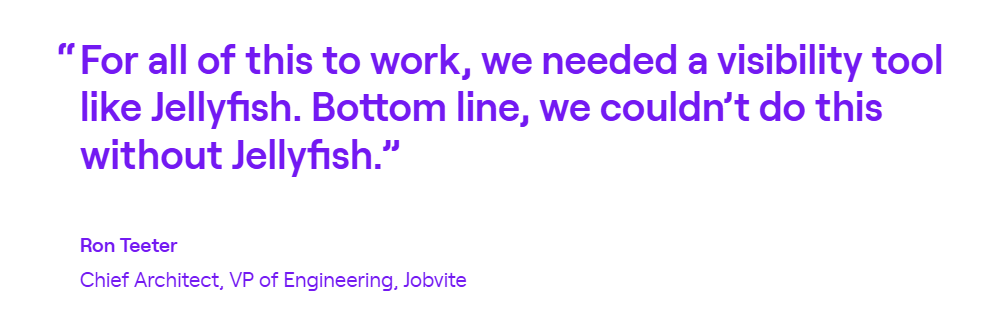
Jobvite absorbed three companies in a year and ended up with 130 engineers on different tools with no shared metrics. Jellyfish gave them a single view across all teams. Throughput jumped 80%, P3 resolution times fell 68%, and the backlog shrank from 20+ items to under 4.
Salsify replaced a 700-hour-per-year manual time collection process with Jellyfish’s automated capitalization. The data passed two audits. On top of that, leadership can now show exactly how each team splits time between roadmap work and support, which made headcount conversations with finance much simpler.
Iterable’s old approach to R&D cost tracking depended on engineers manually tagging time in Jira, which produced unreliable data. Jellyfish automated the process and gave leadership a consistent view of delivery performance that they now review weekly to guide priorities and coaching.
2. Appfire Flow
Appfire Flow (previously PluralSight) is an engineering analytics platform that connects to Git providers and project management tools to track team productivity, cycle time breakdowns, and DORA metrics across teams and repositories.
Haystack is leaner and more DORA-focused, while Flow offers a broader analytics approach that includes developer-level metrics, investment tracking, and team health insights. It’s better suited for larger orgs that need that level of detail.
Key Features
- Git-based developer activity metrics: Flow pulls data directly from Git, including commits, PRs, review activity, and rework, so there’s no manual time logging or self-reported data involved.
- Granular code review analytics: The platform splits the review process into different phases, like first response time, rework time, and idle completion time, so managers can see exactly where things stall.
- Investment Profile and resource allocation: Flow maps where engineering time is being spent, whether that’s new feature work, maintenance, or paying down tech debt. Leaders can customize the investment categories to match their team structure.
Advantages
- Quick and simple setup with minimal learning curve: Flow is easy to get started with and doesn’t come with a lot of configuration upfront. Users can start pulling insights quickly without wading through a complex onboarding process. [Read Full G2 Review]
- Wide metric coverage with built-in documentation: The platform tracks a broad range of software development metrics and provides tutorials that explain what each one means and how to interpret it. [Read Full G2 Review]
- Smooth integration with code repositories and IDEs: Flow integrates cleanly with major Git providers and IDEs, so there’s no heavy lift on the setup side. Once connected, tracking runs passively without adding steps to developer workflows. [Read Full G2 Review]
Limitations
- Limited API and sharing capabilities: Users can’t save filters or share custom views with teammates, which limits collaboration around the data. The platform feels fairly closed off for teams that want to build on top of it or export insights into other tools. [Read Full G2 Review]
- Some metrics lack practical value: Features like knowledge sharing, review collaboration, and project timeline sound useful on paper, but users report that the data behind them isn’t actionable enough to help with decision-making. [Read Full G2 Review]
- Repository-level reporting is lacking: Flow is heavily oriented around teams and individuals, which makes it harder to get insights scoped to specific repositories. If you want to track things like churn or activity patterns at the repo level rather than the team level, the options are limited. [Read Full G2 Review]
Pricing
Flow pricing is per user, billed annually, across two tiers:
- Core at $38/user/month: Covers unlimited repositories, integrations with major Git providers and Jira, up to 36 months of data import, and foundational reporting on work logs, tickets, and review workflows.
- Plus at $50/user/month: Adds the more advanced capabilities like Team health insights, Investment profile, Sprint movement, Retrospective reports, Proficiency tracking, and API access.
Learn more → 9 Best Flow Alternatives for Engineering Teams (2026)
3. Sleuth
Sleuth is a deploy-focused engineering intelligence platform that connects to your Git repos, CI/CD pipelines, issue trackers, feature flags, and observability tools to track DORA metrics and deployment health end to end.
It’s popular with SaaS teams that deploy frequently and want a lightweight, developer-friendly way to track deployment impact and automate parts of the release process without heavy setup overhead.
Haystack stays close to Git and PR data, while Sleuth casts a wider net with its integrations to build a fuller picture of what happens after code leaves the repository.
Key Features
- Impact tracking through observability integrations: Sleuth connects to tools like Datadog, Sentry, Rollbar, and Honeybadger to automatically assess the health of each deployment.
- AI-powered reviews and reporting: The tool uses AI to summarize metric trends, interpret data, and find outliers automatically. It also provides structured review templates for different stakeholders.
- 100+ no-code workflow automations: Sleuth includes a library of pre-built automations for common tasks like enforcing PR hygiene, maintaining traceability from issues to deployments, and triggering Slack-based approval workflows.
Advantages
- Quick setup with minimal configuration: Teams can connect their tools and start seeing data fast without going through a drawn-out onboarding process. [Read Full G2 Review]
- Built-in automations that drive real-time feedback: Sleuth’s automation library gives developers instant feedback when their work is affecting DORA metrics. [Read Full G2 Review]
- Flexible views for different stakeholders: You can view engineering KPIs at the project, team, or org level, so it’s easy to tailor the data to whoever’s looking at it. Developers get the details they need, managers get the team picture, and executives get the high-level trends. [Read Full G2 Review]
Limitations
- Limited Microsoft Teams support: Sleuth’s workflow automations and notifications lean heavily toward Slack. Teams that rely on Microsoft Teams as their primary communication tool will find fewer options for metrics and alerts. [Read Full G2 Review]
- No easy way to export metric data: There’s no straightforward option to export metrics into CSV, Excel, or similar formats. For teams that need to pull Sleuth data into a separate management dashboard or reporting tool, that’s a frustrating gap. [Read Full G2 Review]
- UI could use a refresh: The interface feels visually flat and relies on small font sizes that make it harder to scan quickly. For a tool you’re meant to check regularly, the readability and overall design could benefit from some attention. [Read Full G2 Review]
Pricing
Sleuth has two pricing tiers:
- Standard at $35/user/month: Core DORA metrics, workflow automations, and toolchain integrations. Capped at 25 developers, with credit card billing only.
- Enterprise at $45/user/month: Removes the developer cap and brings SAML SSO, on-prem GitHub, dedicated customer success, 24/7 support, and flexible billing options.
4. Waydev
Waydev is an SEI platform that pulls data from over 200 integrations across Git, Jira, CI/CD, and calendars to measure engineering delivery, team health, resource allocation, and AI coding tool adoption in a single unified view.
Haystack is a lighter, more focused tool built around DORA metrics and fast setup, while Waydev targets larger organizations that need enterprise-grade features.
Key Features
- DORA metrics with cycle time breakdowns: Waydev tracks all four DORA metrics and lets you break cycle time into individual stages to see where work stalls. You can filter everything by team, project, or contributor.
- Developer experience surveys: The platform has a built-in DX module that pushes surveys to developers through Slack to capture sentiment, friction points, and morale.
- Custom dashboards with editable SQL: It supports fully customizable dashboards built with cards, tables, scatter plots, and radar charts. Every insight is backed by a SQL query you can view and edit.
Advantages
- Strong feature-to-price ratio: Waydev packs a lot of functionality into its pricing compared to other platforms in the category. Teams get DORA metrics, custom dashboards, DX surveys, and AI tracking without paying enterprise-tier prices for each one separately. [Read Full G2 Review]
- Responsive support with proactive updates: The support team is quick to resolve issues and regularly communicates updates that affect how your data is tracked and maintained. [Read Full G2 Review]
- Clear visibility into bottlenecks at a glance: The platform makes it easy to spot where delivery is slowing down without having to research multiple reports. [Read Full G2 Review]
Limitations
- Feature-heavy UI with a long ramp-up: Waydev’s interface is feature-rich, but that comes with complexity. It takes time to discover everything the platform can do, and new users may feel overwhelmed before they’ve had a chance to build familiarity with the full feature set. [Read Full G2 Review]
- Onboarding requires technical setup: When starting to use Waydev, you need to configure your Git provider, generate access tokens for Jira, and connect your CI/CD pipeline. It’s manageable for technical teams, but the process isn’t as plug-and-play as some lighter alternatives in the category. [Read Full G2 Review]
- Limited public roadmap and community presence: Waydev doesn’t currently offer a public-facing product roadmap, and its developer evangelism efforts are minimal compared to some competitors. [Read Full G2 Review]
Pricing
There’s a free trial available, and paid plans are billed annually per contributor:
- Pro ($29/month) covers core DORA metrics and dashboards
- Premium ($54/month) expands into resource planning, DX surveys, AI tool tracking, and API access
- Enterprise removes all limits and adds on-prem deployment, SSO, and dedicated support. You’ll need to get a custom quote, though.
5. LinearB
LinearB is an engineering intelligence and automation platform that tracks delivery metrics from Git, Jira, and CI/CD tools, and then layers on workflow automations, AI-assisted code review, and delivery simulations.
While both platforms track DORA metrics, LinearB goes broader with PR automation via gitStream, predictive delivery modeling, and AI impact analysis that Haystack doesn’t touch.
Key Features
- DORA and SPACE metrics with engineering benchmarks: The platform tracks DORA and SPACE metrics at every level, from individual PRs up to the full organization.
- gitStream workflow automation: gitStream lets you set rules for how PRs are handled, from auto-assigning reviewers and applying labels to auto-merging low-risk changes that meet your criteria.
- AI-powered code review with policy enforcement: LinearB scans PRs for data security issues, bugs, performance problems, and spec mismatches before they reach production.
Advantages
- Metrics that matter, accessible at a glance: LinearB puts the numbers engineering leaders care about most, like cycle time, review time, PR size, and planning accuracy, right at their fingertips. [Read Full G2 Review]
- Clear view of where engineering effort goes: The platform makes it easy to see how engineering resources are distributed across campaigns and whether that allocation is in line with business priorities. [Read Full G2 Review]
- Fast adoption across engineers and managers: LinearB tends to click quickly with both individual contributors and engineering managers, often producing insights during onboarding itself. [Read Full G2 Review]
Limitations
- Poor customer support experience: Multiple users have mentioned slow and unhelpful responses from LinearB’s support team, including a lack of urgency around high-priority issues. [Read Full G2 Review]
- Jira integration takes effort to get right: Connecting Jira is technically simple, but getting the data to accurately show how work is assigned and tracked over time takes more fine-tuning than expected. [Read Full G2 Review]
- Limited customization for non-standard metrics: LinearB covers the core engineering metrics well, but teams that need to track metrics outside the platform’s defaults are left doing it manually. More flexibility around custom metrics would make it a more complete solution. [Read Full G2 Review]
Pricing
LinearB offers two plans plus custom options for teams:
- Essentials ($29/contributor/month): DORA and delivery metrics, workflow automations, and 1,000 automation credits.
- Enterprise ($59/contributor/month): Adds project delivery forecasting, R&D cost capitalization, resource allocation, and 1,500 automation credits.
For organizations that need more flexibility, custom plans are available through sales.
Learn more → 8 Best LinearB Alternatives Heading Into 2026
6. Swarmia
Swarmia is an engineering productivity platform that connects to GitHub, Jira, Linear, and Slack to track DORA metrics, measure how engineering time is invested, and collect developer experience feedback.
While Haystack keeps its scope tight around delivery performance, Swarmia expands into developer sentiment and team agreements alongside the same core metrics.
Key Features
- DORA and SPACE metrics with real-time data sync: Metrics update in near real time as changes flow through GitHub and Jira, so you’re never working with stale data.
- Working agreements for team-level optimization: Teams can define their own standards around PR size, review speed, CI wait times, and other delivery habits. These agreements are tracked over time and visible to the whole team.
- Developer experience surveys: The platform lets you run structured surveys across your engineering org to measure sentiment on everything from team dynamics to technical debt.
Advantages
- Dashboards are built around trends: Swarmia presents data as trends, which makes it much easier to see whether things are getting better or worse over time. That makes it practical for managers who want to streamline processes without hovering over individual output. [Read Full G2 Review]
- Strong Slack integration for staying in the loop: The Slack integration outlines PR activity, review status, and CI failures without anyone needing to go looking for them manually. It’s a lightweight way to stay on top of what’s happening in GitHub throughout the day. [Read Full G2 Review]
- High-value insights with minimal overhead: Swarmia is built so that leaders, especially time-strapped CTOs and VPs, can pull meaningful insights quickly. You don’t need to invest a lot of ongoing effort to keep the data useful and current. [Read Full G2 Review]
Limitations
- No tagging or filtering for bug sources: There’s no way to categorize bugs by where they originated, whether that’s production, UAT, or another environment. Teams that track bugs across multiple stages will find this limiting. [Read Full G2 Review]
- Limited flexibility around pricing and integrations: The pricing model is closely tied to GitHub seats, which doesn’t account for the fact that some users in your org may not need analytics at all. [Read Full G2 Review]
- CI/CD defaults aren’t always transparent: Some of Swarmia’s default settings around CI/CD aren’t clearly documented, which can cause metrics to look inaccurate at first. [Read Full G2 Review]
Pricing
Swarmia offers three pricing tiers:
- Free: For teams of up to 9 developers.
- Paid plans (from €28/developer/month): Single-module access starts at €28, while the full platform costs €49/developer/month.
- Enterprise (custom pricing): Comes with on-premise integrations and custom configuration.
Learn more → 14 Best Swarmia Alternatives (Updated for 2026)
7. Allstacks
Allstacks is an engineering management platform built on a proprietary semantic data fabric that connects 50+ SDLC tools to bring ML-powered project forecasting, DORA and SPACE metrics, investment tracking, and R&D capitalization reporting.
Haystack gives you a ground-level view of developer workflows and PR metrics, while Allstacks is built to zoom out and show how engineering work maps to delivery timelines, budgets, and business outcomes.
Key Features
- ML-powered project forecasting: Machine learning models analyze past delivery data to predict completion dates at the project, milestone, and story level. Leaders also get a visual timeline that compares targets against forecasts.
- Intelligence Engine with deep research agents: The Intelligence Engine picks up on things like cross-team bottlenecks, tickets with vague requirements, and delivery risks that would otherwise go unnoticed.
- Engineering investment tracking and R&D capitalization: You get a breakdown of how engineering hours are spread across business priorities, so it’s clear what’s getting the most investment. It also takes care of R&D capitalization reporting automatically.
Advantages
- Portfolio-level delivery tracking: Many teams get the most mileage out of the Portfolio view, which breaks down the delivery progress in a way that makes it easy to see what’s on track and what needs attention. [Read Full G2 Review]
- Intuitive epic-to-task visibility: Jira epic tracking feels natural in Allstacks. Users say they can quickly see how child tasks are progressing under each epic without needing to piece things together manually. [Read Full G2 Review]
- Flexible, visual reporting tools: Users appreciate the control they get over how data shows up. You choose the metrics, pick the visual format, and build reports that match how you think about the work. [Read Full G2 Review]
Limitations
- Flexibility can feel like overload: With so many ways to represent data, new users sometimes struggle to figure out where to start. The range of options is a plus once you’re up to speed, but the onboarding curve is there. [Read Full G2 Review]
- Once-daily data sync: The ETL process only runs once a day, so there’s always some lag between what’s happening and what the dashboards show. [Read Full G2 Review]
- Custom metric creation isn’t supported yet: While the platform offers strong filtering and dashboard customization, there’s no sandbox for building your own metrics from raw data. [Read Full G2 Review]
Pricing
There’s a free trial available, while paid plans bill annually per contributor:
- Premium ($400/year): Multitenant hosting with SSO/SAML and hands-on onboarding for the first six weeks. Caps at 500 contributors.
- Enterprise ($600/year): Everything in Premium plus single-tenant hosting, a dedicated CSM, unlimited data retention, and API access for data export.
- R&D Cap ($200/year): Just the capitalization module on its own, for teams that don’t need the full platform.
8. Code Climate Velocity
Code Climate Velocity is an engineering analytics platform that pulls Git and Jira data to track DORA metrics, cycle time, and PR throughput alongside proprietary contributor-level scores for code complexity and rework.
Where Haystack stays close to team-level DORA metrics, Velocity brings contributor-level depth through proprietary scoring, granular code review analytics, and a Workstreams module that connects Git and Jira data at the sprint level.
Key Features
- Industry benchmarks from real engineering teams: The platform computes benchmarks from a year’s worth of anonymized data across hundreds of Velocity customers, filtered to remove bots, non-engineering roles, and inactive orgs.
- Contributor-level Developer360 profiles: Velocity builds a 360-degree view of each engineer’s work by pulling commits, PRs, review activity, and Jira issue data into a single profile.
- Configurable dashboards with Targets: The Reports Builder lets teams query any available metric and filter by contributor, team, project, or repository. Then, they can save the results in custom dashboards.
Advantages
- Flexible, team-level reporting out of the box: Velocity makes it straightforward to build reports scoped to different teams across your org without heavy configuration. The available metrics and filtering options cover enough ground that most managers can get a useful view set up quickly. [Read Full G2 Review]
- Clean, user-friendly interface with strong customization: The platform is easy to navigate and gives users enough control over how data is displayed to tailor dashboards to their specific workflows. [Read Full G2 Review]
- Simple integration with code repositories: Velocity connects to major Git providers with minimal setup, so teams can start pulling data without a drawn-out onboarding process or extra steps added to developer workflows. [Read Full G2 Review]
Limitations
- Rigid permissions and limited view-only access: User management gets complicated when you want some people to just see reports without full platform access. A more flexible view-only option would go a long way for larger teams. [Read Full G2 Review]
- Steep learning curve around advanced metrics: Some of the more sophisticated metrics aren’t intuitive, and the platform doesn’t do a great job of explaining them in context. Expect a ramp-up period before your team is confident in what they’re looking at. [Read Full G2 Review]
- Metrics without guidance on what to do next: You’ll get clear signals when something is off, but Velocity doesn’t suggest how to handle it. For managers who want their SEI tool to guide improvement, that’s a noticeable gap. [Read Full G2 Review]
Pricing
Paid plan pricing is only available through sales, which makes it harder to compare costs upfront. That said, the free plan supports up to 20 developers, so there’s room to test things out without a financial commitment.
How to Select the Right Haystack Alternative for Your Needs
How to Select the Right Haystack Alternative for Your Needs
Here’s a breakdown of what each platform does best, so you can narrow the list without sitting through all eight demos:
- For engineering orgs that don’t want to compromise on any one capability, Jellyfish is the most complete platform in this category. It spans delivery performance, team health, investment visibility, AI tool tracking, and executive-level reporting.
- For building a team improvement culture around shared standards, Swarmia lets teams set working agreements on things like PR size and review speed, then tracks adherence over time.
- For getting the most capability per dollar, Waydev bundles DORA metrics, DX surveys, custom dashboards, and AI tool tracking at price points below most competitors. The trade-off is a steeper learning curve and less depth on the business alignment side.
- For portfolio-level forecasting and R&D cost capitalization, Allstacks uses ML models to predict delivery timelines and automate financial reporting. Jellyfish covers similar territory with a wider feature set, so teams operating at scale should evaluate both side by side.
- For putting PR management on autopilot, LinearB gives you more workflow automation than anything else in this category. gitStream lets you set rules for how PRs are routed, labeled, and merged.
- For Jira-heavy teams that want to see where engineering hours go, Appfire Flow maps time across feature work, tech debt, and maintenance with minimal setup. For teams that need that investment data to roll up into executive reporting, Jellyfish takes it further.
Most teams that outgrow Haystack have more than one gap to fill. Jellyfish is the platform that fills most of them without bringing on extra tools or building workarounds on the side.
Jellyfish — The Ideal Haystack Alternative
Jellyfish — The Ideal Haystack Alternative
There are good alternatives to Haystack on the market, but Jellyfish consistently comes out on top because it covers the most ground.
You can rely on one platform for delivery metrics, capacity planning, AI tracking, developer feedback, and financial reporting.
Here’s a quick look at what you get:
- Measures the adoption and delivery impact of AI coding tools like Copilot, Cursor, and Amazon Q, broken down by team and vendor
- Automates R&D cost capitalization and tax credit reporting with audit-ready numbers pulled from engineering activity
- Forecasts team capacity and lets you model staffing and prioritization changes using historical delivery data
- DORA and SPACE metrics with industry and internal benchmarking, so targets are grounded in real data
- Developer experience surveys that tie directly to system metrics, so you know which complaints are backed by the numbers
- Connects to 50+ tools across Git, Jira, CI/CD, incident management, HR, and calendars with self-service setup
500+ organizations trust Jellyfish, and it’s been the top-rated SEI platform on G2 for 13 consecutive quarters.
Book a demo to see how it works with your team’s data.
FAQs
FAQs
Do these platforms integrate with tools like Salesforce or SharePoint?
Most platforms in this category focus on Git, Jira, CI/CD, and Slack rather than CRM or document management tools like Salesforce or SharePoint. On mobile, few offer a dedicated Android app, but dashboards are generally accessible through mobile browsers.
Is Haystack open source?
No, Haystack is a commercial product. There are open source alternatives for basic devops metrics, but they require heavy setup. The platforms in this guide rank higher in ease of use because they handle infrastructure and updates for you.
Can these tools help with debugging engineering bottlenecks?
That’s one of the main ranking factors when evaluating any Haystack alternative. Platforms like Jellyfish and Sleuth break cycle time into granular stages so you can pinpoint where work stalls – whether in code review, QA, or deployment.
About the author

Jellyfish is the leading Software Engineering Intelligence Platform, helping more than 700 companies including DraftKings, Keller Williams and Blue Yonder, leverage AI to transform how they build software. By turning fragmented data into context-rich guidance, Jellyfish enables better decision-making across AI adoption, planning, developer experience and delivery so R&D teams can deliver stronger business outcomes.