In this article
Allstacks built its reputation mainly on predictive forecasting. The platform pulls data from your existing dev tools, runs it through machine learning models, and tells you when projects are falling behind.
If your primary question is “will we hit our dates,” Allstacks generally gives you a better answer than status meetings and spreadsheet tracking ever did.
But that positioning also brings certain trade-offs. For example, data syncs once a day, which is fine for weekly planning but not much help when you need to make mid-sprint decisions.
Dashboards don’t offer much flexibility either, and teams that want more than forecasting (e.g., developer experience tracking and workflow optimization) often end up needing a second tool or a different platform altogether.
If you’re at that point, you’re in the right place. This guide covers 7 alternatives worth considering based on what real-world users say about them.
Why Look for an Alternative to Allstacks?
Why Look for an Alternative to Allstacks?
Most of the complaints we found in G2 user reviews fall into a few categories. Here’s what Allstacks users mention most frequently:
- Setup takes longer than expected: Users mention feeling overwhelmed by the number of integrations and metrics available, and it can take a while to figure out which dashboards are worth using. [Read Full G2 Review]
- Data only syncs once per day: This is a common complaint. Daily refreshes work for high-level reporting, but teams say it’s frustrating when you need to verify changes or make faster decisions. [Read Full G2 Review]
- Alerting feels underdeveloped: Reviewers often ask for better Slack integration and more notification options. What’s there now is pretty basic. [Read Full G2 Review]
- Default views don’t match real workflows: Several users note there’s no easy way to view work by sprint without manually changing date ranges each time. [Read Full G2 Review]
- Filtering options are too limited: You can’t exclude folders like test files from your metrics, which means data like code churn ends up noisier and less actionable than it should be. [Read Full G2 Review]
- DORA metrics aren’t plug-and-play: The underlying data is mostly there, but users say pulling together a proper DORA report takes more manual work than they expected. [Read Full G2 Review]
Key Features to Look for in an Allstacks Alternative?
Key Features to Look for in an Allstacks Alternative?
Before you start comparing platforms, it helps to know what gaps you’re trying to fill. These are the features that come up most when teams outgrow Allstacks:
Real-Time or Near-Real-Time Data Syncing
Once-a-day syncing is fine for big-picture trends. If you need to make decisions mid-sprint, you’ll want something faster.
This is especially true for teams running shorter cycles or dealing with fast-moving projects where yesterday’s data doesn’t cut it.
Insights That Serve More than Just Leadership
Executive reporting is important, but managers and ICs need visibility too. The best tools work across multiple levels of the organization.
If only your VP of Engineering logs in, that’s a sign the platform isn’t pulling its weight for the people doing the actual work.
R&D Cost Visibility and Resource Allocation
If you need to show where engineering investment is going and how it maps to business priorities, this should be built in, not bolted on.
More engineering leaders are being asked to justify spend and tie budgets to outcomes. A platform that can’t help with that conversation is missing a big piece of the puzzle.
Developer Experience Tracking
Shipping fast doesn’t mean much if your team is burning out. Look for tools that track developer satisfaction alongside delivery metrics. Teams that only measure output often miss warning signs until it’s too late.
Flexible Dashboards and Reporting
Every engineering org works differently. Look for platforms that let you build dashboards around your workflow instead of forcing you into theirs. Rigid templates might work at first, but they get frustrating once your needs evolve.
DORA Metrics Without the Assembly Required
Most teams want DORA metrics. If you have to stitch them together manually, that’s a sign the platform hasn’t kept up.
Deployment frequency, lead time, change failure rate, and recovery time should be available out of the box.
7 Best Allstacks Alternatives on the Market Right Now
7 Best Allstacks Alternatives on the Market Right Now
Allstacks covers the forecasting basics well enough. But if you’re looking for real-time data, deeper customization, developer experience insights, or better alignment between engineering work and business outcomes, you’ll need to look elsewhere.
Here are some alternatives worth considering:
- Jellyfish
- Swarmia
- Code Climate Velocity
- DX (Atlassian)
- LinearB
- Sleuth
- Hatica
| Solution | Platform Type & Focus | Best For |
| Jellyfish | Full-stack engineering intelligence covering delivery, allocation, DevEx, and financial reporting | Leaders who need business alignment, capacity planning, and R&D cost visibility in one platform |
| Swarmia | Lightweight engineering intelligence with real-time data and built-in DevEx surveys | Teams that want productivity and developer experience tracking without heavy setup |
| Code Climate Velocity | Code-level analytics with 60+ granular engineering metrics | Organizations focused on individual and team performance benchmarking |
| DX (Atlassian) | Research-backed developer intelligence that combines surveys with system metrics | Teams that prioritize qualitative insights into developer friction and slowdowns |
| LinearB | Workflow-focused engineering intelligence with built-in automation | Teams that want DORA metrics plus automated PR routing and policy enforcement |
| Sleuth | Deploy-centric DORA tracking tied to production releases | Teams that need accurate deployment metrics and release health visibility |
| Hatica | SPACE-framework analytics with focus on well-being and async workflows | Distributed teams that prioritize maker time and sustainable workloads |
1. Jellyfish
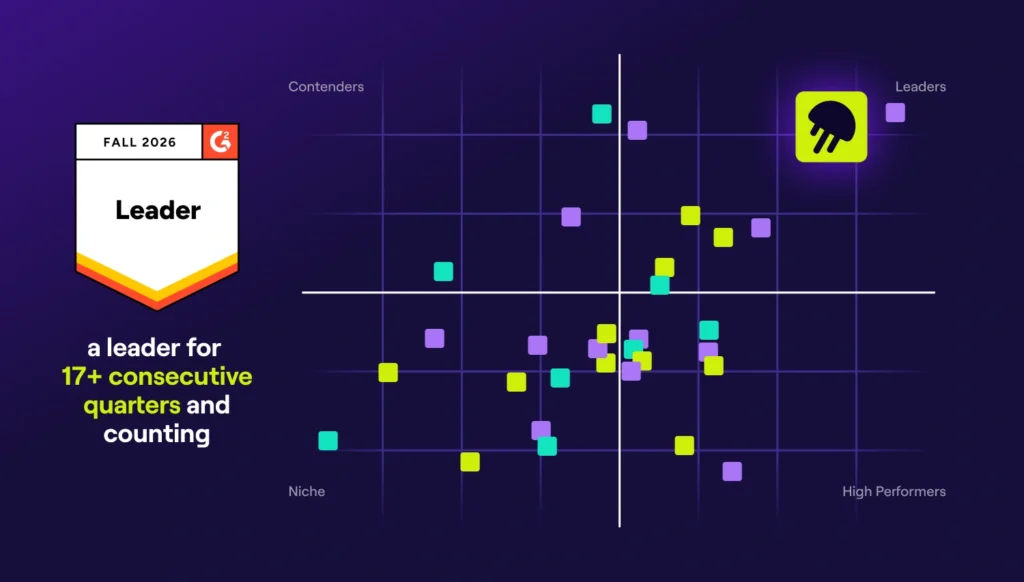
Jellyfish is a software engineering intelligence platform that over 700 companies, including DraftKings, Keller Williams, and Blue Yonder, use to align engineering work with business priorities.
It brings together fragmented data from your engineering tools and uses AI to provide guidance on capacity planning, delivery, developer experience, and AI adoption. The tool also maps engineering effort to roadmap goals and resource investments, so you have the visibility to explain where resources go and what it takes to hit your dates.
If Allstacks is your forecasting tool, Jellyfish is closer to a full operating system for engineering leadership because it includes capacity planning, DevEx, financial reporting, and business alignment all in one place.
Key Features
- Resource allocation without time tracking: Jellyfish automatically analyzes engineering signals and contextual business data to show where engineering investment is going across projects, maintenance, bugs, and other categories.
- AI Impact measurement: The platform tracks adoption, usage, and productivity impact across AI coding tools like GitHub Copilot and Cursor. You can compare vendors side-by-side and quantify ROI to make informed decisions about where to invest.
- Built-in DevEx surveys: Jellyfish includes research-backed developer experience surveys that tie qualitative feedback to system metrics like DORA and SPACE. You can correlate how engineers feel about their workflows with what the data shows.
- Capacity and scenario planning: The Capacity Planner uses historical performance data to forecast what teams can realistically deliver. Scenario Planner lets you model “what-if” situations before committing to a plan.
- Automated R&D financial reporting: DevFinOps handles software capitalization and R&D tax credit reporting automatically. Reports are audit-ready, which means finance teams get what they need without engineering lifting a finger.
Why Do Companies Choose Jellyfish Over Allstacks?
There’s nothing wrong with Allstacks if forecasting and predictive analytics are your main concerns. It gets harder to justify once you need visibility into allocation, team health, or how work connects to business outcomes.
Here are some of the main reasons companies turn to Jellyfish:
- Visibility into where time goes: One of the most common frustrations with Allstacks is the lack of clarity around how engineering effort maps to different types of work. Jellyfish breaks this down automatically (product development, tech debt, bugs, unplanned work, etc.) without anyone filling out timesheets. [Read Full G2 Review]
- Data that keeps up with how you work: Allstacks syncs once a day, which is fine for weekly planning but frustrating when you need to make decisions mid-sprint. Jellyfish updates in near-real-time, so you’re not working off yesterday’s numbers when today’s conversation matters.
- Built for a wider audience: Allstacks is built for a fairly narrow audience. Jellyfish excels across roles, including engineering leaders, managers, product, finance, and even ICs. One product leader noted they could set up their own dashboards to monitor deliverables and generate progress reports, even though they weren’t a “typical” user. [Read Full G2 Review]
- DevEx built in, not bolted on: Allstacks doesn’t offer developer experience tracking. Jellyfish includes customizable surveys, Slack alerts when tickets get stuck, and daily digests that outline blockers. Teams use the allocation metrics to guide decision-making and streamline estimates over time. [Read Full G2 Review]
What Real Customers Are Saying about Jellyfish
The results show up clearest in teams that grew fast and needed to get a handle on where engineering effort was going. Jobvite expanded 4X to 130 engineers through acquisitions, and the VP of Engineering had no way to unify processes or measure what was working.
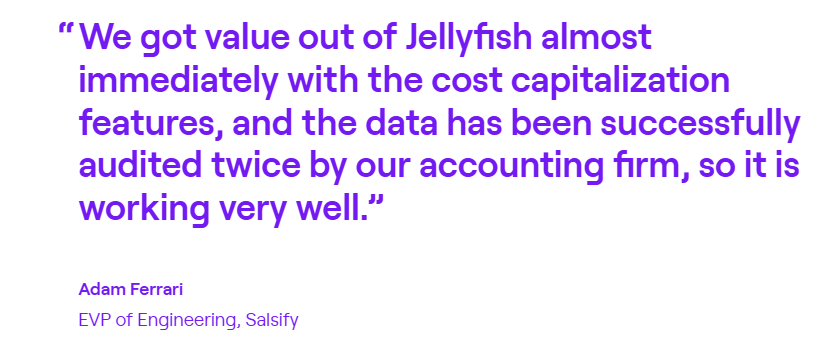
After rolling out Jellyfish, throughput increased 80%, the backlog dropped from 20+ items to 4 or fewer, and P3 resolution times fell 68%. They went from a 90-day P3 SLA to 30 days, and now hit it at 23.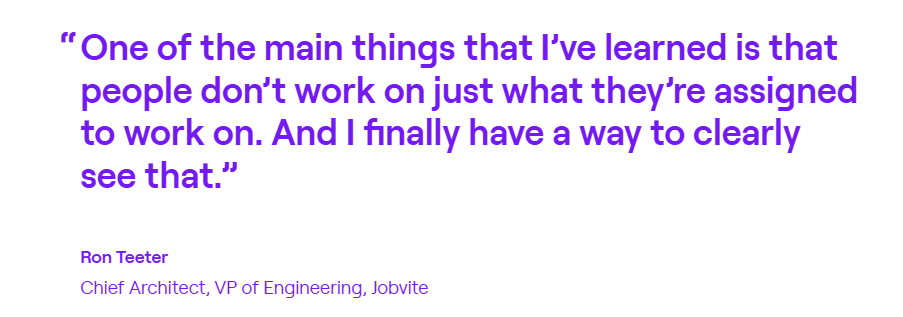 Financial reporting is another area where the lift is immediate. Salsify estimated that their managers were spending 700 hours per year collecting time data for R&D cost capitalization. Jellyfish automated that entirely, and the CFO got audit-ready reports without anyone filling out timesheets.
And for teams that need to model trade-offs before committing to a plan, the Scenario Planner has a tangible dollar impact. CHG Healthcare used it to find $1.5M in potential savings by adjusting how they staffed projects before work started.
2. Swarmia
Swarmia is an engineering intelligence platform that pulls data from your Git repos, issue trackers, and CI/CD tools to measure productivity, delivery, and developer experience in one place.
It combines system metrics like DORA and SPACE with built-in developer surveys, so you’re tracking both output and how sustainable that output is.
Compared to Allstacks, the biggest difference is scope. Swarmia updates data in real time, includes built-in developer experience surveys, and puts equal emphasis on team health alongside delivery metrics.
Key Features
- Developer experience surveys: Swarmia includes a 32-question survey framework that lets you measure how engineers feel about their tools, workflows, and workload.
- SPACE and DORA metrics out of the box: You get deployment frequency, lead time, change failure rate, and recovery time without having to build reports yourself.
- Investment tracking: You can see where engineering hours are going and get valuable insights across initiatives, maintenance, bugs, and other categories without asking anyone to log time manually.
Advantages
- Visibility without micromanagement: You get a clear view of what’s happening across the entire software development lifecycle without making engineers feel like they’re being watched. [Read Full G2 Review]
- Quick setup if you’re already on GitHub: Getting started is straightforward for teams familiar with GitHub, and integrations with Jira and other common tools work smoothly out of the box. [Read Full G2 Review]
- Useful for onboarding: Managers can track how new engineers are ramping up and fitting in with the rest of the team. [Read Full G2 Review]
Limitations
- Limited deployment tracking customization: If your team uses non-standard GitHub actions for deployments, you may need workarounds. The platform doesn’t always make it easy to configure custom deployment setups. [Read Full G2 Review]
- CI/CD defaults aren’t always obvious. Some users find that specific metrics don’t look right because of how Swarmia’s algorithm interprets their pipeline by default. Tracking down discrepancies can take some manual digging. [Read Full G2 Review]
- Scope change categorization can be too rigid. Small additions during code quality review sometimes get flagged as scope creep, even when they’re minor. There’s limited flexibility to mark certain changes as exceptions. [Read Full G2 Review]
Pricing
Swarmia offers a free plan for teams with up to 9 developers. Paid plans start at €28 per developer per month for a single module (Business outcomes, Developer productivity, or Developer experience).
The Standard plan runs €49 per developer per month and includes all three modules. Enterprise pricing is custom and includes on-premise integrations and volume discounts.
Annual billing is available at a discount.
3. Code Climate Velocity
Code Climate Velocity pulls data from Git, Jira, and your CI/CD pipeline to measure engineering performance across 60+ metrics. It covers everything from cycle time and PR throughput to DORA metrics and code churn.
Where Allstacks focuses on delivery forecasting, Velocity leans more into granular contributor-level metrics and code-level insights.
Key Features
- 60+ engineering metrics in one place: You get actionable insights into cycle time, PR throughput, code churn, DORA metrics, and more without stitching reports together yourself.
- Individual and team-level performance views: Developer360 and Team360 modules let managers see how specific contributors and teams are performing over time.
- PR resolution insights: The platform shows where pull requests get stuck in the pipeline, so you can spot bottlenecks between open and merge faster.
Advantages
- Easy to get a full picture across repositories: You can link multiple repositories that make up a single application, so you see activity across the whole system instead of fragmented views. [Read Full G2 Review]
- Benchmarking against company averages: Team members can see how their performance compares to internal benchmarks, which helps individuals understand where they stand and where to improve. [Read Full G2 Review]
- Useful for retros and continuous improvement: The platform brings together data from Jira and GitHub in one place, which makes it easier to have grounded conversations about what’s working and what’s not. [Read Full G2 Review]
Limitations
- Not always clear how to act on the data: There’s plenty of data, but figuring out what’s actionable isn’t always obvious. Some users feel left on their own to interpret the performance metrics. [Read Full G2 Review]
- API has gaps: The API doesn’t always return complete data. One user reported only getting 90% of teams back from an API call, which can cause project management issues if you’re building integrations. [Read Full G2 Review]
- Hard to add context for external factors: There’s no good way to mark when someone was on leave or pulled into other work. KPIs can look off without that background. [Read Full G2 Review]
Pricing
Pricing isn’t listed publicly. Third-party sources suggest costs around $700 per user per year for larger organizations, but your mileage will vary depending on team size and what features you need.
You’d have to talk to their sales team to get a specific quote.
4. DX (Atlassian)
DX is a developer intelligence platform that combines system metrics from your dev tools with self-reported survey data to measure both engineering productivity and experience.
The platform was built by researchers behind frameworks like SPACE and DevEx, and uses proprietary metrics like the Developer Experience Index (DXI) to quantify how developers feel about their work.
Atlassian acquired DX in late 2025 and is integrating it into its Software Collection alongside Jira, Bitbucket, and Compass.
Key Features
- Developer Experience Index (DXI): A composite score based on 14 standardized survey items that measures how efficiently developers can deliver quality software. DX claims a one-point improvement in DXI corresponds to about 10 hours saved per developer per year.
- Combines qualitative and quantitative data: The platform bridges survey responses with system metrics from GitHub, Jira, and other tools, so you can correlate things like code review times with developer satisfaction.
- Benchmarking against peers: You can compare your metrics against DX’s benchmark library, built from data across 500+ companies, to see how your org stacks up.
Advantages
- Snapshot surveys are quick and actionable: The feedback format is easy for teams to respond to and gives managers timely input they can use right away. [Read Full G2 Review]
- AI query builder simplifies custom reporting: If you need to pull specific data or build custom views, the AI-powered query tool makes it easier to access what you’re looking for without a lot of manual work. [Read Full G2 Review]
- Core metrics work well as directional signals: The metrics aren’t meant to be perfectly precise, but they give teams a common baseline for planning, budgeting, and evaluating whether changes are helping or just shifting problems around. [Read Full G2 Review]
Limitations
- Custom reporting has a learning curve: The platform offers flexible reporting, but tailoring it for different stakeholders takes some time to figure out. Teams early in their adoption will also need to build up historical data before long-term trends become useful. [Read Full G2 Review]
- Data navigation could be easier for non-technical users: SQL support is available, but users without that skillset may find it harder to understand the data. [Read Full G2 Review]
- Integration access is tied to pricing tiers: For some connectors, like Sentry, you have to upgrade to a higher-tier package. Teams that only need a few specific integrations may find the bundling approach frustrating. [Read Full G2 Review]
Pricing
DX pricing is based on developer licenses and isn’t published publicly. According to third-party data, contracts range from around $12,000 to $180,000 per year, depending on team size and feature needs, with an average annual cost of around $52,000.
You’ll need to contact sales for a quote. DX also offers no-cost proof of concepts for a subset of your organization before scaling.
5. LinearB
LinearB is an engineering management platform that tracks cycle time, DORA metrics, and planning accuracy by pulling data from Git, Jira, and incident tools.
The platform also includes built-in automation through gitStream and WorkerB, which handle things like PR routing, reviewer reminders, and policy enforcement across repos.
While Allstacks is built around delivery forecasting, LinearB focuses more on optimizing the workflow itself through automation.
Key Features
- Cycle time breakdown by stage: LinearB breaks cycle time into coding, pickup, review, and deploy phases, so you can see exactly where PRs are getting stuck.
- Workflow automation with GitStream: You can set up automations to route PRs to the right reviewers, auto-approve low-risk changes, and set up policies across repos without manual effort.
- Team goals and working agreements: Managers can define targets for things like PR size, review time, and pickup time, then track progress and get alerts when work risks falling outside agreed standards.
Advantages
- Strong customer support and onboarding: The support experience gets consistently good reviews. LinearB’s team works closely with customers during rollout and sticks around to help fine-tune things over time. [Read Full G2 Review]
- Easy to get started with: The platform is built to be intuitive. Most teams can start getting value quickly without extensive training or onboarding. [Read Full G2 Review]
- Built-in DORA metrics and industry benchmarks: DORA metrics come ready to use, and you can compare your numbers against benchmarks from thousands of other teams. Makes it easier to have grounded conversations with leadership. [Read Full G2 Review]
Limitations
- Metric display options aren’t fully consistent: Some metrics can be viewed by sprint, others only by week. The lack of harmonization across different views can make reporting a bit clunky. [Read Full G2 Review]
- Granular analytics could be deeper: Users would like more flexibility to switch between mean and median values at the team level. The analytics platform is solid, but finer controls are still catching up. [Read Full G2 Review]
- Feature releases sometimes need polish: The platform ships updates frequently, but some arrive with usability issues that take a few iterations to iron out. [Read Full G2 Review]
Pricing
Two tiers, priced per contributor:
- Essentials ($29/month): AI-powered code reviews, automated PR descriptions, programmable workflows, and dev satisfaction surveys. Comes with 1,000 monthly credits, and you’ll need GitHub Cloud.
- Enterprise ($59/month): Includes Essentials plus project forecasting, productivity insights, resource allocation, R&D capitalization, and Slack/Teams automations. Custom pricing is for large deployments.
6. Sleuth
Sleuth is a deploy-centric engineering intelligence platform that tracks production releases and connects them to issues, commits, builds, and CI/CD activity to provide accurate DORA metrics.
If Allstacks is about predicting when work will ship, Sleuth picks up where that ends, tracking what’s already going to production and whether it’s causing problems.
Key Features
- AI-powered reviews and summaries: Pre-built templates for CTO check-ins, sprint reviews, and operations reviews come with AI-generated scoring and recommendations.
- DORA metrics based on real deployments: Sleuth measures deploy frequency, lead time, change failure rate, and MTTR by tracking what goes to production.
- Impact tracking through integrations: The platform connects to Datadog, Sentry, Rollbar, and other observability tools to tie deployment health back to specific releases.
Advantages
- Fast setup, fast feedback: Sleuth is easy to get running, and the built-in automations come in handy when teams are slipping on DORA metrics. [Read Full G2 Review]
- Goal setting that drives behavior change: Teams can set targets around things like PR size, review frequency, and issue structure, and then track progress over time. [Read Full G2 Review]
- Easy to understand across the org: Project, team, and org-level views make it simple to present metrics in ways that make sense to different stakeholders. [Read Full G2 Review]
Limitations
- Onboarding assumes familiar patterns: Teams using less common dev tools or workflows may need to figure out how to adapt Sleuth to their setup, since the documentation focuses on standard approaches. [Read Full G2 Review]
- Price is on the higher end: Reviewers note the per-seat cost can be a hard sell for engineering teams watching their budget. [Read Full G2 Review]
- Trunk-based software development doesn’t fit cleanly: Some DORA metrics get tricky to measure accurately when teams use trunk-based workflows. [Read Full G2 Review]
Pricing
There are two tiers, both priced per user per month:
- Standard at $35/user: Includes DORA metrics tracking and built-in automations.
- Enterprise at $45/user: Everything in Standard plus SAML SSO, on-premise GitHub integration, and dedicated support.
Free 30-day trial available.
7. Hatica
Hatica is an engineering analytics tool that connects to GitHub, Jira, Slack, PagerDuty, CI/CD tools, and other systems to build a unified view of team productivity and developer well-being.
The platform follows the SPACE framework developed by GitHub and Microsoft, and aggregates traditional delivery metrics with data on focus time, collaboration habits, and developer experience.
Key Features
- DORA and cycle time tracking: Teams can measure deploy frequency, lead time, change failure rate, and MTTR alongside detailed breakdowns of where time gets spent in the development process.
- Automated async standups: Run check-ins through Slack or email without pulling people into meetings, with updates tied to work activity from connected tools.
- Sprint and project dashboards: You can see planned vs. completed work, effort allocation across initiatives, and sprint performance trends over time.
Advantages
- Built-in well-being tracking: Out-of-the-box dashboards measure meeting time and maker time, so managers can easily spot when workloads are unsustainable before burnout sets in. [Read Full G2 Review]
- Strong value for the price: Reviewers note that comparable platforms cost more without offering features that justify the gap. [Read Full G2 Review]
- Easy integrations with common tools: GitHub, GitLab, Jira, and other connectors work smoothly with minimal setup friction. [Read Full G2 Review]
Limitations
- Still maturing as a platform: Some advanced features and integrations aren’t available yet, though the team is actively building them out. [Read Full G2 Review]
- Limited flexibility in reporting: Customizing reports for specific teams or workflows isn’t as robust as some users need. [Read Full G2 Review]
- Data syncing isn’t instant: GitHub PRs can take a day to fully sync, which limits how quickly you see recent activity. [Read Full G2 Review]
Pricing
Hatica offers four tiers, all priced per member per month:
- Free: Activity dashboards, async standups, DevEx surveys, 1 month of data history.
- Pro ($19/member/month): Brings DORA metrics, velocity and throughput dashboards, business goals, automations, SSO, and 6 months of history.
- Business ($29/member/month): Everything in Pro plus sprint dashboards, cost capitalization, SPACE metrics, custom dashboards, HRMS integrations, dedicated CSM, and 2 years of history.
- Enterprise (custom pricing): Self-hosted or private cloud, data warehouse sync, custom integrations, and 5 years of history.
How to Select the Right Alternative for Your Needs
How to Select the Right Alternative for Your Needs
Picking the right platform depends on what’s driving the decision. Budget, team size, and existing tooling all matter, but the biggest factor is usually what problem you’re trying to handle.
Here’s how to think through it:
- If your main concern is tying engineering work to business outcomes, Jellyfish is purpose-built for that. It maps engineering effort to strategic priorities, handles R&D cost capitalization, and gives finance and executive teams the visibility they’ve historically lacked. No other platform on this list goes as deep into business alignment.
- If delivery forecasting is your priority, Allstacks may still be a decent fit for basic use cases. But Jellyfish offers capacity planning and scenario modeling with more strategic context, while LinearB pairs forecasting with workflow automation for teams that want a better way to act on predictions.
- If you care about developer experience, not just velocity, look at platforms that combine system metrics with qualitative data. Jellyfish includes DevEx surveys alongside its operational metrics. DX, Swarmia, and Hatica also offer built-in surveys and well-being tracking, with DX going deepest on the research side.
- If real-time data matters, rule out anything that syncs once a day. Swarmia updates in real time. Sleuth tracks deployments as they happen. Jellyfish provides near-real-time visibility with richer context around capacity and resource allocation.
- If your budget is tight, Hatica and Swarmia both offer free tiers. LinearB has a free plan for small teams too. Jellyfish and DX sit at higher price points, but Jellyfish’s breadth across software delivery, DevOps, capacity planning, and financial reporting often consolidates what would otherwise need multiple development tools.
- If you want accurate DORA metrics without a lot of setup, Sleuth’s deploy-centric model produces cleaner numbers out of the box. Swarmia and LinearB also outline DORA metrics quickly. Jellyfish tracks DORA alongside broader operational and business metrics, so it’s a stronger fit for teams that want the full picture.
Here’s also a side-by-side look at what makes each alternative different from Allstacks and which use cases they’re best suited for:
| Platform | Key Differentiator vs. Allstacks | Best If You Need… |
| Jellyfish | Connects engineering work to business outcomes with unmatched depth across capacity planning, resource allocation, DevEx, and financial reporting | A single platform for strategic alignment, delivery visibility, and R&D cost tracking |
| Swarmia | Real-time data + built-in DevEx surveys | Productivity and developer experience tracking in one lightweight platform |
| Code Climate Velocity | Deeper individual contributor metrics and code-level insights | Granular performance data across teams and repos |
| DX | Research-backed approach to understanding why teams slow down | Qualitative insights and high survey response rates |
| LinearB | Workflow automation that acts on metrics, not just reports them | DORA tracking plus automated PR routing and team alerts |
| Sleuth | Deploy-centric tracking for cleaner, more accurate DORA metrics | Real-time visibility into what’s shipping and how releases perform |
| Hatica | Focus on team well-being and maker time alongside velocity | Distributed team support with async standups and SPACE framework metrics |
The right choice depends on what’s frustrating you most about your current setup. If it’s one specific gap, a focused tool might be enough.
If you’re dealing with multiple issues across delivery, visibility, and alignment, a more comprehensive platform like Jellyfish is worth a closer look.
Jellyfish – The Ideal Allstacks Alternative
Jellyfish – The Ideal Allstacks Alternative
If you need more than delivery forecasting, Jellyfish is the obvious next step. It covers the full scope of what engineering leaders are asked to manage — allocation, planning, developer experience, financial reporting, and business alignment.
Here’s a quick summary of what Jellyfish brings:
- A patented allocation model tracks where engineering effort goes across product development, tech debt, bugs, and unplanned work (no timesheets involved)
- AI Impact measures adoption and ROI across AI coding tools like Copilot and Cursor, so you know which investments are paying off
- Built-in DevEx surveys tie developer sentiment to system metrics like DORA and SPACE, so you can spot friction before it becomes a bigger problem
- DevFinOps automates R&D capitalization and tax credit reporting with audit-ready outputs
- Capacity Planner and Scenario Planner let you forecast what teams can realistically deliver and model trade-offs before you commit to a roadmap
When forecasting stops being enough, Jellyfish fills the gaps. Book a demo and see how it works for your engineering organization.
About the author

Jellyfish is the leading Software Engineering Intelligence Platform, helping more than 700 companies including DraftKings, Keller Williams and Blue Yonder, leverage AI to transform how they build software. By turning fragmented data into context-rich guidance, Jellyfish enables better decision-making across AI adoption, planning, developer experience and delivery so R&D teams can deliver stronger business outcomes.