In this article
Faros AI pulls engineering data from dozens of tools and puts it in one place. DORA metrics, bottleneck analysis, Copilot adoption – you get a single view of what’s happening across teams without stitching dashboards together yourself.
For teams tired of pulling numbers from five different tools before every planning meeting, that’s genuinely useful.
The problems start when you try to go deeper. Slow dashboards, a learning curve that catches new users off guard, and limited flexibility if you want to build something custom. Teams with messy data or homegrown tools feel it most.
Whether you’re running into these issues or just doing your homework before committing, this guide can help. We went through G2 reviews, forums, and dozens of product pages to find 8 alternatives worth a closer look.
Why Look for an Alternative to Faros AI?
Why Look for an Alternative to Faros AI?
Before covering alternatives, it helps to know what’s pushing people away from Faros AI in the first place. Here’s what teams complain about most:
- Lacks AI vendor comparison view: Engineering teams use an average of 2+ AI coding tools, but Faros doesn’t provide a side-by-side multi-tool comparison to assess how each vendor performs across different engineering productivity metrics or through DevEx surveys.
- Limited self-service functionality: Users who want to build custom reports or tweak dashboards often hit walls. You’ll end up opening support tickets for changes you’d expect to handle yourself. [Read Full G2 Review]
- Slow dashboard load times: Some users report that dashboards take longer to load than expected, especially with larger datasets. If you’re presenting to executives or need quick answers during standups, the delay is noticeable. [Read Full G2 Review]
- Complex setup for custom connectors: Teams with homegrown tools or non-standard systems can’t just plug in and go. You’ll need someone who understands data structures and APIs to build what should be a simple integration.
- Steep learning curve for developers: Several users noted that the tool takes a lot of time to learn before developers can use it effectively. New engineers need more ramp time than you’d expect from a metrics dashboard. [Read Full G2 Review]
- Data sync requires ongoing upkeep: Teams with non-standard data sources or imperfect records spend more time than expected on maintenance. Keeping things like team rosters and project mappings accurate becomes a recurring task. [Read Full Gartner Review]
- No out-of-the-box notification system: Automated notifications for metric changes aren’t built in. If you want your team to get Slack updates when deployment frequency drops or cycle time spikes, you’ll be building those workflows yourself.
Key Features and Functionalities to Look For in a Faros AI Alternative
Key Features and Functionalities to Look For in a Faros AI Alternative
Switching platforms is a pain, so it’s worth knowing what to look for before you start evaluating. These are the capabilities that matter most:
AI Impact Deep Dive and Comparisons
With engineering teams adopting multiple AI coding tools, including coding assistants, code review, and agentic tooling, look for a solution that is able to compare side-by-side how each one fares across key engineering productivity metrics, with the information all on one screen.
Team Management and Operations
The best engineering leaders coach and mentor their employees, but unless they have good visibility into how each team member is performing based on quantifiable productivity metrics and can find areas of improvement, they can’t be effective.
Look for a solution that uses AI-powered insights to pinpoint team and individual performance indicators with corresponding suggestions to assist engineering managers in their 1:1 conversations.
Insights into Resource Allocation
Deployment frequency doesn’t tell you why a project is behind. You need visibility into how time splits between roadmap work, bug fixes, infrastructure, and unplanned requests. Without that breakdown, planning can only be reactive.
Self-Service Customization
If every custom report needs a support ticket, you’ll spend more time waiting than actually analyzing. Look for platforms where managers can build their own dashboards and slice data without any help from the vendor.
Roadmap-to-Execution Alignment
DORA metrics tell you how fast you’re shipping, but not whether you’re shipping the right things. Platforms that connect engineering work to roadmap priorities help you spot when teams drift toward unplanned work or when strategic initiatives are starving for resources.
R&D Cost Capitalization
Most engineering teams don’t think about R&D cost capitalization until finance asks for numbers. Then someone has to figure out how much time went toward capitalizable work versus maintenance or support.
Platforms that track this automatically (using commit history, ticket data, and project categorization) make the whole process less painful and give finance what they need without developers filling out timesheets.
Top Alternatives to Faros AI on the Market Right Now
Top Alternatives to Faros AI on the Market Right Now
The engineering intelligence market has grown quickly, and the tools aren’t interchangeable. Some are better for metrics and reporting, others for planning and allocation.
Here’s a closer look at some popular Faros AI alternatives and where each one fits:
- Jellyfish
- Swarmia
- LinearB
- Atlassian DX
- Allstacks
- Waydev
- Typo
- Sleuth
| Solution | Platform type & focus | Best for |
| Jellyfish | AI-powered engineering intelligence platform used by 700+ companies, including DraftKings and Blue Yonder. Provides context-rich guidance across planning, delivery, DevEx, and AI adoption. | Teams looking for a unified platform that serves engineering, finance, and executive stakeholders from the same data |
| Swarmia | Engineering intelligence for productivity and developer experience | Smaller teams focused on DORA metrics and DevEx with budget constraints |
| LinearB | Engineering productivity with workflow automation and CI/CD insights | Teams that want automated workflows and hands-on customer support |
| Atlassian DX | Developer experience measurement with research-backed surveys | Atlassian-heavy teams that prioritize DevEx surveys and benchmarking |
| Allstacks | Value stream intelligence with predictive delivery forecasting | Teams that need AI-powered delivery predictions and investment tracking |
| Waydev | Engineering intelligence with 130+ metrics and conversational AI | Teams that want natural language queries and automated metric reports |
| Typo | AI-driven engineering intelligence with automated code reviews | Teams that want AI-powered PR reviews and sprint risk detection |
| Sleuth | Deployment intelligence with DORA tracking and incident correlation | Teams that want to focus on deployment metrics and Slack-first workflows |
1. Jellyfish
Jellyfish is a software engineering intelligence platform that more than 700 companies use to connect engineering work to business outcomes.
Companies like DraftKings, Keller Williams, and Blue Yonder rely on it to consolidate fragmented data from across their toolchains and get AI-powered guidance on capacity planning, delivery, developer experience, and AI adoption.
The platform shows how engineering effort maps to roadmap priorities and resource investments, so you can show leadership exactly where resources go and what trade-offs you need to make to hit your delivery dates.
Compared to Faros AI, Jellyfish is much more planning-oriented. Apart from engineering metrics, it also includes Scenario Planner and Capacity Planner for modeling staffing decisions and forecasting delivery dates. It also includes automated R&D cost capitalization, which is something Faros doesn’t offer out of the box.
Key Features
- Resource allocation model: Jellyfish’s patented model reconstructs where engineering time goes by analyzing how commits, PRs, and tickets relate. It automatically categorizes work into roadmap, infrastructure, support, and unplanned buckets, expressed in FTEs.
- AI Impact dashboard: Jellyfish shows you whether your AI stack is improving delivery. It pulls usage data from Copilot, Cursor, Claude Code, Gemini, and others, then connects it to metrics like cycle time and throughput so you can see which teams get value and which don’t. Jellyfish also helps you compare how different AI vendors are impacting key engineering productivity metrics, so you get a better picture of how each tool is affecting different teams across the SDLC.
- Capacity planner and scenario planner: The Capacity Planner uses historical performance data to predict realistic workloads and prevent team burnout. With the scenario planner, you can model trade-offs and see exactly what happens when you change engineers between projects or change scope.
- DevEx surveys: The platform runs research-backed surveys that capture developer sentiment on tooling, code review, documentation, and other friction points. Jellyfish combines that feedback with system metrics, so you know what’s slowing teams down and why.
- DevFinOps: Jellyfish automates R&D cost capitalization and tax credit reporting using the same allocation data that powers everything else. Finance gets audit-ready numbers without engineers filling out timesheets or managers making rough estimates after the fact.
- Pre-built integrations: Jellyfish connects to 50+ tools out of the box, including Jira, ADO, Linear, GitHub, GitLab, CI/CD pipelines, incident management, ITSM, code security & quality, and more. Setup is self-service, and data streams in real time, so you’re not waiting on batch syncs or custom connector work.
Why Do Companies Choose Jellyfish Over Faros AI?
Both platforms pull engineering data into one place, but they’re built for different workflows. Here’s what tends to tip the decision toward Jellyfish:
- Faster to deploy, easier to use: Faros users often mention a steep learning curve and complex setup for custom integrations. Jellyfish ships with 50+ integrations, most of which connect in minutes with self-service setup. Users report having usable dashboards within the first week without heavy lifting. [Read Full G2 Review]
- Built for leadership conversations: Most engineering metrics live in a vacuum. Jellyfish ties them to investment allocation, delivery progress, and where capacity is going. The dashboards make it easy to show the split between roadmap work, tech debt, and unplanned requests without building your own reports. [Read Full G2 Review]
- Customization without filing tickets: Faros users often need support help for custom reports or dashboard tweaks. Jellyfish is built for self-service, so teams can slice data, build views, and make changes on their own without waiting on the vendor.
- No waiting on slow dashboards: One of the most common Faros complaints is dashboard performance. Jellyfish loads fast, even at scale, and the interface is clean enough to pull up mid-meeting without apologizing for load times. [Read Full G2 Review]
- Built-in planning tools: Visibility is table stakes. Jellyfish goes further with Capacity Planner and Scenario Planner – built-in tools that let you model staffing trade-offs and forecast delivery impact. Faros doesn’t ship anything comparable out of the box. [Read Full G2 Review]
What Real Customers Are Saying about Jellyfish
Kaleris, a SaaS company with 600+ engineers spread across eight acquired subsidiaries, struggled to unify teams and track capacity. Manual planning took hours and produced error-prone results. With Jellyfish, they saw a 21% improvement in PR cycle time and pushed sprint predictability from near-zero visibility to 60%. 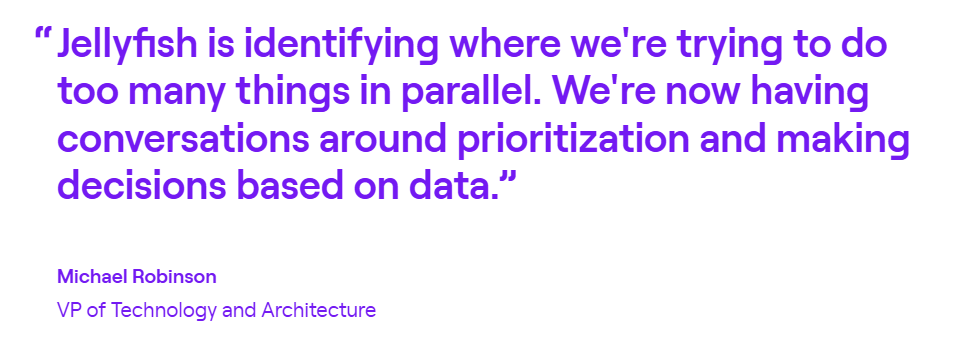
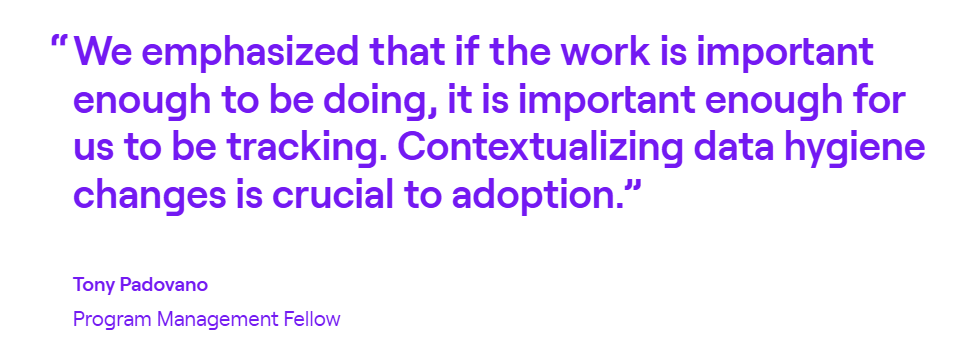
Priceline runs 700+ engineers across dozens of teams, and software capitalization used to take a full week to complete. After adopting Jellyfish DevFinOps, the travel giant cut internal audit interviews by more than 80% and now capitalizes on software 5x faster.
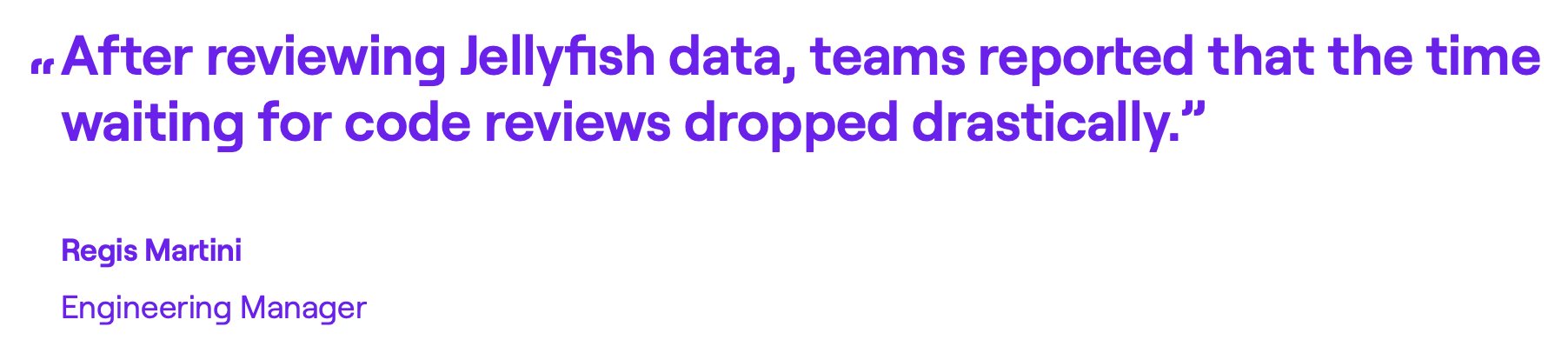
TravelPerk had no way to track where engineering time went or whether teams aligned with business goals. Jellyfish exposed a major bottleneck in code review wait times, and teams quickly fixed it. The result was 30% more focus on roadmap work, 25% better delivery predictability, and a 20% jump in developer satisfaction.
2. Swarmia
Swarmia connects to your Git repos, project management tools, and communication platforms to track delivery performance and developer experience in one place.
It covers the standard DORA metrics but also brings team health surveys and customizable working agreements.
Where Faros AI focuses on unifying data for leadership visibility, Swarmia leans more toward helping individual teams track and streamline their own workflows.
Key Features
- Developer experience surveys: The platform includes ready-made surveys designed for engineering teams so you can run regular pulse checks and spot morale issues before they turn into bigger problems.
- Investment balance tracking: Swarmia categorizes engineering work into features, tech debt, bugs, and ops. You (and your higher-ups) get clear insights into resource allocation with no manual effort.
- AI coding tool impact measurement: If you’re paying for Copilot or similar tools, Swarmia tracks how much code comes from AI and measures the productivity impact.
Pros
- Helpful Slack notifications: Strong Slack integration can help you catch PR reviews and comments as they happen. No need to bounce between tools to stay informed. [Read Full G2 Review]
- Smooth onboarding experience: Onboarding walks you through each integration step by step. You don’t need to figure out how to wire everything together on your own. [Read Full G2 Review]
- Clean, intuitive interface: The UI is easy to navigate and pleasant to look at, according to several G2 users. You won’t need any training sessions to find your way around. [Read Full G2 Review]
Cons
- Limited custom metrics configuration: Individual key metrics are there, but building your own isn’t straightforward. Expect manual work instead of a quick configuration tool if you need custom measurements. [Read Full G2 Review]
- Performance slows with larger datasets: The platform can lag when working with extensive historical data. Teams with large codebases may notice slower load times when pulling reports. [Read Full G2 Review]
- Inconsistent data in some views: Certain features, like the sprint view, occasionally miss relevant information. You may need to cross-check against your source tools to verify accuracy. [Read Full G2 Review]
Pricing
Swarmia has a free tier for small teams (up to 9 developers).
Paid plans start at €28/developer/month for a single module, or €49/developer/month for the full platform. Enterprise pricing is custom and includes things like on-premise integrations.
Learn more → 14 Best Swarmia Alternatives & Competitors on the Market Today – Jellyfish
3. LinearB
LinearB is an engineering analytics platform that connects your development tools and automates workflow improvements based on the data it collects. There’s also an AI code review algorithm and built-in investment orchestration for R&D reporting.
LinearB is more automation-focused than Faros AI. Faros gives you dashboards to interpret, while LinearB tries to act on the data for you with things like automated PR routing and review nudges.
Key Features
- Workflow automation with policy enforcement: LinearB uses machine learning to automate PR routing, generate AI-powered code descriptions, and set up testing requirements. Custom workflows trigger based on file changes, PR size, or team-specific rules.
- Automated R&D capitalization reporting: Categorizes engineering work as capitalizable or non-capitalizable based on issue type or custom fields.
- Individual developer workflow visibility: Shows developer activity with knowledge area tracking, coding language distribution, and workload performance indicators.
Pros
- Useful CI/CD dashboard: Several users have praised LinearB’s deployment dashboard. It gives you a clear view of what’s shipping and when, all in one place. [Read Full G2 Review]
- Hands-on support team: The customer success team takes an active role in getting your teams up to speed. They run training sessions, walk you through the platform, and stay involved until you start seeing results. [Read Full G2 Review]
- Actionable Git insights: LinearB pulls data from Git and presents it in a way that’s easy to comprehend. You get insight into how teams are performing, plus tools like WorkerB for developer-level notifications. [See G2 Review]
Cons
- Executive reporting takes extra work: The platform comes with in-depth data, but rolling that up into leadership-ready summaries isn’t built in. Teams that need quick scorecards for senior management end up building those views manually. [Read Full G2 Review]
- New features sometimes ship before they’re ready: Feature releases can feel rushed, with usability issues that need a few rounds of feedback before they work smoothly. [Read Full G2 Review]
- Admin settings aren’t intuitive: The administrative side of the platform takes some getting used to. Configuration and setup workflows don’t always follow the logic you’d expect. [Read Full G2 Review]
Pricing
LinearB offers an Essentials plan at $29 per contributor per month that includes 1,000 monthly automation credits.
The Enterprise plan runs $59 per contributor per month and bumps you up to 1,500 credits with features like project forecasting, R&D cost capitalization, and resource allocation tools. For larger deployments, you’ll need to get a custom quote.
Learn more → 8 Best LinearB Alternatives Heading Into 2026 – Jellyfish
4. DX (Atlassian)
Atlassian DX pairs developer survey data with metrics pulled directly from your repos and CI/CD tools to give you a complete picture of engineering productivity.
The platform’s core metric is the Developer Experience Index, which rolls 14 productivity factors into a single score tied to business outcomes.
Atlassian acquired DX for $1 billion in late 2025, and the platform now connects directly with Jira, Bitbucket, and Compass.
Key Features
- Developer Experience Index: The DXI rolls 14 productivity drivers into one score that predicts financial impact. Teams see which friction points matter most, and leadership gets a single number to track.
- Research-backed developer surveys: Built by the researchers who created DORA and SPACE, these surveys reportedly hit 90%+ participation rates.
- Industry benchmarks: The platform compares your metrics against 500+ companies at your scale and in your industry.
Pros
- Quick feedback loops: The quick-pulse surveys are easy for developers to complete and give you timely input. When you change sprint expectations or tweak on-call rotations, you can see quickly whether those changes reduce friction. [Read Full G2 Review]
- Plenty of useful features: The platform handles developer surveys well, but it doesn’t stop there. You also get tools like feature toggles and industry benchmarks that add context to the feedback you’re collecting. [Read Full G2 Review]
- Easier exec-level communication: DX gives you a neutral way to talk about engineering health that isn’t tied to any one team or tool. That makes it easier to explain tradeoffs and justify decisions when you’re in front of leadership. [Read Full G2 Review]
Cons
- Metrics need qualitative backup: The data doesn’t stand on its own and works best as a supporting input. You need to pair the numbers with qualitative judgment to get real value. [Read Full G2 Review]
- Integrations locked behind tier upgrades: For some connectors, you’ll need to upgrade to a higher subscription tier even if you only need that one feature. [Read Full G2 Review]
- Data exploration favors SQL users: Native reporting tools cover the basics, but to dig any deeper, you’ll need to write custom queries. So if you don’t have someone with SQL skills on your team, you probably won’t see DX’s full value. [Read Full G2 Review]
Pricing
Atlassian DX doesn’t publish pricing on its website, so you’ll need to talk to sales for a quote.
The platform uses modular, enterprise-focused pricing based on which features you need and how many developers you’re covering.
5. Allstacks
Allstacks is a cloud-based value stream intelligence platform built around predictive analytics. The platform pulls data from your dev tools (like GitHub, Jira, Azure DevOps, and CI/CD pipelines) and runs it through ML models to predict when work will ship.
Faros AI gives you a broader view of engineering operations, but Allstacks is narrower and goes much deeper into predicting delivery outcomes and finding schedule risks.
Key Features
- Predictive delivery forecasting: The platform forecasts delivery dates based on past patterns and points to timeline risks early. Leadership gets realistic projections and can course-correct before deadlines slip.
- Investment tracking: Allstacks shows how engineering hours are distributed between initiatives and teams. You don’t need to set up any manual tracking, and leadership gets a clear view of resource allocation.
- AI-powered insights engine: The Intelligence Engine analyzes your data and delivers specific recommendations automatically. This is especially useful for startups that need an easier way to make data-driven decisions.
Pros
- Easy-to-understand dashboards: The visualizations are easy to read without a learning curve. Predictive insights flag risks before they snowball, which saves time when you need to update stakeholders. [Read Full G2 Review]
- Flexible enough to fit your workflow: You can build custom dashboards tailored to what your team wants (and needs) to track. The interface is intuitive enough that employees of all levels can use it without hand-holding. [Read Full G2 Review]
- Team that listens to user feedback: The Allstacks team takes feedback seriously and consistently ships new features. If something’s missing, there’s a good chance they’re already working on it. [Read Full G2 Review]
Cons
- Setup can feel overwhelming: The platform offers a lot of integrations and metrics out of the gate, which makes configuration tricky. Teams can expect some trial and error before they find the dashboards that work for them. [Read Full G2 Review]
- Data syncs once a day: Updates aren’t real-time, so you’re working with a 24-hour lag on your metrics. Teams that need live data may find this limiting. [Read Full G2 Review]
- User management is clunky: Users say that bringing new users and assigning them to the right projects or teams takes more effort than it should. [Read Full G2 Review]
Pricing
Allstacks has a free trial with no credit card required, and there are three paid tiers available:
- Premium runs $400 per contributor per year and supports up to 500 contributors. You get multitenant hosting, SSO/SAML, and onboarding help for the first six weeks.
- Enterprise costs $600 per contributor per year and includes single-tenant hosting, data export API, unlimited data retention, and a dedicated Customer Success Manager.
- R&D Cap is $200 per contributor per year for teams that just need automated software capitalization and audit-ready financial reports.
6. Waydev
Waydev is a Y Combinator-backed engineering intelligence platform that connects to your Git repos, project management tools, CI/CD pipelines, and calendars.
The platform tracks over 130 metrics across DORA, SPACE, and developer experience, so you can pick the frameworks that fit how your organization thinks about performance.
Compared to Faros, Waydev gives you a broader set of pre-built metrics but may need less custom setup for teams with standard toolchains.
Key Features
- Conversational AI interface: Ask questions about your teams, delivery, and AI adoption in plain English, and Waydev AI will pull the data and give you answers without the usual report hunting.
- Developer experience surveys: You can send pulse surveys through Slack or Teams to understand developer sentiment, frustrations, and blockers. It’s easy to then pair results with productivity data to see what’s slowing engineers down.
- Ghost engineer detection: The platform finds inactive contributors based on commits, PRs, and ticket activity. You can find engagement dips before they show up in performance reviews.
Pros
- Responsive support team: The Waydev support team responds quickly, takes feedback seriously, and goes out of their way to help you get value from the platform. [Read G2 Review]
- Metrics delivered to your inbox: The platform sends automated emails with the most important metrics. It takes the cognitive load off tracking team performance week to week. [Read G2 Review]
- Less guesswork in meetings: The platform brings quantitative context to sprint retros and one-on-ones. Instead of “I feel like we’re behind,” you can point to specific metrics and have a more grounded discussion. [Read Full G2 Review]
Cons
- AI summaries are slow and thin: The AI-generated insights take a while to load and don’t always outline much useful information. They’re not always helpful for decision-making or if you need actionable insights. [Read Full G2 Review]
- DevEx surveys lack polish: The developer experience survey module still feels basic. Teams looking for deeper customization or more flexible question formats may find it limiting. [Read Full G2 Review]
- Onboarding takes manual effort: The initial setup involves manual configuration for each integration, like Git provider, Jira, and CI tools. It’s not the quickest onboarding experience. [Read Full G2 Review]
Pricing
Waydev has a free trial available, and all plans are billed annually:
- Pro at $29 per contributor per month. Covers up to 50 repositories with 6 months of data history. Includes core integrations, DORA metrics, delivery and health modules, and benchmarking.
- Premium at $54 per contributor per month. Upgrades you to 300 repositories and 36 months of data retention. Adds resource planning, custom metrics, AI adoption tracking, the DX survey module, API access, and a dedicated success manager.
- Enterprise with custom pricing. Unlimited repositories and data retention, plus on-premise deployment options, SSO/SAML, and dedicated engineering support.
7. Typo
Typo is an AI-driven engineering intelligence platform that connects to your Git repos, issue trackers, CI/CD tools, and Slack with minimal setup. The platform combines real-time SDLC visibility with automated code reviews and developer experience insights.
Typo is lighter on data consolidation than Faros AI, but heavier on automation. AI code reviews and proactive risk alerts come built in, and there’s no custom setup for teams.
Key Features
- AI-powered code reviews: Typo’s CodeIQ feature analyzes every pull request for issues, provides context-aware feedback, and generates one-click fixes, so reviewers spend less time on routine catches.
- Sprint risk detection: The platform identifies at-risk tasks and predicts sprint delays based on historical patterns. Useful for catching scope creep and blockers early.
- AI coding tool impact tracking: Track how AI assistants like GitHub Copilot and Cursor affect velocity, code quality, and developer experience. You can use the data to justify renewals or cut tools that aren’t delivering.
Pros
- Code reviews built into your PR workflow: Typo runs automated code reviews directly in your PR workflow. You don’t need to switch tools or add extra steps to spot quality issues. [Read Full G2 Review]
- Instant visibility into performance: You see how you’re doing right away, whether it’s speed, accuracy, or code quality. The instant feedback loop makes it easier to focus on what needs improving. [Read Full G2 Review]
- Performance data handled carefully: You can compare against industry benchmarks, but Typo doesn’t frame metrics as the endgame. The data is there to start conversations, not to give managers something to beat developers over the head with. [Read Full G2 Review]
Cons
- Navigation can be clunky: Clicking through from a GitHub PR doesn’t take you directly to the review. Users say that you often land on the home page and have to find your way back. [Read Full G2 Review]
- UI needs polish: The interface works, but it’s not as intuitive as it could be. Some users report that the layout takes getting used to. [Read Full G2 Review]
- No self-service reporting customization: You can’t modify charts or build custom reports on your own. If the default views don’t fit your needs, you’re stuck with what’s there. [Read Full G2 Review]
Pricing
Typo is one of the more affordable options in this space. There’s a free tier available, plus a 14-day trial on paid plans:
- Free at $0 per month. Covers up to 5 contributors and 5 repos with DORA metrics, PR insights, team performance, and 3 months of data history.
- Starter at $20 per developer per month. Brings sprint insights, deployment metrics, investment distribution, burnout insights, unlimited repos, and 6 months of data history.
- Pro at $28 per developer per month. Includes automated PR reviews, AI-generated summaries and code fixes, code health analysis, unlimited data history, and a dedicated success manager.
- Enterprise with custom pricing. Comes with on-prem support, multiple Git org support, software capitalization, and custom integrations.
8. Sleuth
Sleuth is a deployment intelligence platform built by former Atlassian employees. It tracks the entire software delivery cycle from issue creation through production deployments, rollbacks, and incidents.
Faros AI provides wider coverage across the engineering organization, while Sleuth trades breadth for more accurate deployment data by directly connecting to your production and incident tools.
Key Features
- AI-powered reviews: Pre-built templates translate metrics into structured meeting agendas for CTOs, engineering managers, and team leads. Each review comes with AI-generated summaries and health scores.
- No-code automations: Over 100 built-in automations handle friction points like PR hygiene, deployment approvals, and issue-to-deploy traceability. You can trigger workflows through Slack without leaving your chat window.
- Incident correlation: The platform traces system health, alerts, and incidents back to specific code changes. When something breaks, you can pinpoint the exact deployment that caused it.
Pros
- Quick setup and overall ease of use: Implementation is straightforward and doesn’t drag on. The automations kick in quickly and give dev teams feedback when their work affects DORA metrics. [Read Full G2 Review]
- Daily Slack summaries: You get automated reports in Slack each day with data like stale PRs and other discussion points. [Read Full G2 Review]
- Multiple views for different people: You can view data at the project, team, or org level depending on who you’re talking to. No need to rebuild dashboards for different stakeholders. [Read Full G2 Review]
Cons
- Narrow focus: Sleuth is built around DORA metrics and deployment tracking. If you need broader engineering intelligence features, the platform may feel limited compared to more comprehensive alternatives. [Read Full G2 Review]
- Slack-first design: Most workflow automations and notifications run through Slack. Teams that rely on Microsoft Teams will find fewer options for integrating Sleuth into their daily workflows. [Read Full G2 Review]
- Pricing can be a tough sell: At $35 to $45 per user per month, Sleuth sits on the higher end for teams watching their budget. [Read Full G2 Review]
Pricing
Sleuth offers two paid tiers:
- Standard runs $35 per user per month and includes DORA metrics, automations, and core integrations, though it caps out at 25 developers.
- Enterprise costs $45 per user per month and adds SAML SSO, on-premise GitHub support, dedicated customer success, and custom billing terms.
How to Select the Right Faros AI Alternative for Your Needs
How to Select the Right Faros AI Alternative for Your Needs
Choosing the right alternative comes down to priorities. Some teams need better planning tools, others need faster dashboards or cleaner DORA metrics. You need to start with the problem, and then find the right fit.
Here’s how to narrow it down:
- Teams that report to leadership regularly will get the most from Jellyfish. The allocations model ties effort to business priorities automatically, and DevFinOps produces audit-ready reports without timesheets. Most alternatives leave the “translate this for leadership” part to you.
- Teams trying to diagnose slowdowns need more than dashboards. DX offers the most rigorous survey methodology. Swarmia and Jellyfish combine developer feedback with delivery metrics, which is useful when you have to connect symptoms to causes.
- Teams focused on hitting delivery dates should look at Allstacks for pure forecasting or LinearB for predictions paired with automation. Jellyfish approaches planning differently with Capacity Planner and Scenario Planner that let you model decisions rather than just estimate outcomes.
- Teams that need live data should skip Allstacks (daily sync) and look at Sleuth or Swarmia for real-time, high-quality updates. Jellyfish also refreshes frequently with richer context around capacity and allocation.
- Teams watching their budget can start with Typo or Swarmia’s free tiers, or LinearB’s lower-cost plan. Jellyfish and DX cost more but often replace multiple point solutions.
- Teams that just want DORA metrics can get clean numbers from Sleuth with minimal setup. Swarmia and LinearB also outline DORA quickly. Jellyfish includes DORA but bundles it with a broader business context.
For reference, here’s also a quick table breakdown of how these best alternatives compare to Faros AI and where they fit best:
| Platform | Key Differentiator vs. Faros AI | Best If You Need |
| Jellyfish | Business alignment, capacity planning, and DevFinOps that Faros doesn’t offer out of the box | Strategic visibility across delivery, resource allocation, and R&D cost tracking |
| Swarmia | Lighter-weight with real-time updates and team-level working agreements | Fast setup, DevEx tracking, and productivity metrics without enterprise complexity |
| LinearB | An automation layer that acts on data points instead of just displaying them | PR routing, review nudges, and workflow triggers based on metrics |
| DX | Research-backed surveys with a single developer experience score | Deep qualitative insights and industry benchmarks for DevEx |
| Allstacks | ML-powered delivery predictions as the core feature | Forecasting when work will ship and flagging schedule risks early |
| Waydev | Broad metric coverage with 130+ pre-built measures and conversational AI | Flexible reporting across DORA, SPACE, and DevEx frameworks |
| Typo | Built-in AI code reviews and sprint risk detection | Automated PR feedback without bringing in another tool |
| Sleuth | Direct CI/CD and incident tool connections for cleaner deploy data | Accurate DORA metrics and real-time release tracking |
If one specific gap is driving the decision, a focused tool might solve it. If you’re dealing with visibility, planning, and alignment issues all at once, a broader platform like Jellyfish will save you from stitching together multiple point solutions.
Jellyfish – #1 Faros AI Alternative
If you’ve outgrown a platform that consolidates data but doesn’t help you act on it, Jellyfish is the logical next step. It’s the difference between showing leadership a cycle time chart and showing them exactly how many engineers are on roadmap work versus keeping the lights on.
Here are just some of the features that make Jellyfish the ideal Faros alternative:
- Patented allocations model that automatically categorizes engineering effort and ties it to business priorities
- AI Impact dashboard that tracks adoption, spend, and developer productivity gains across Copilot, Cursor, Claude Code, Gemini, and other tools
- Capacity Planner and Scenario Planner that let you model staffing trade-offs and optimize delivery dates based on historical performance
- DevEx surveys that combine developer sentiment with system metrics to find friction points in your software development lifecycle
- Automated DevFinOps that handles R&D cost capitalization and tax credit reports based on your org’s specific engineering signals
- 50+ pre-built integrations with self-service setup and real-time data. Most connect in minutes without custom work
If you’re evaluating Faros AI alternatives because you’ve hit the limits of data consolidation alone, Jellyfish is worth a closer look.
Book a demo to see how it works with your stack.